Clothing, bag and shoe stores
Show several models in one set so the customer doesn't have to ask for photos several times to see the other options.
Befroosh Showcase Builder
When a customer wants several product models or several types of service, you don't have to send photos and descriptions one by one in direct messages. With Befroosh's Showcase Builder, create a card for each option with an image, title, description and a button of your choice, and show all the cards in one swipeable set.
The customer can browse the cards horizontally, see the options side by side and choose the one they like. Instead of sending many scattered messages, you give them a tidy showcase.
Add your own image and text | Show several cards in one message | Good for introducing products and services
9:41
B
Befroosh | Sample Showcase
Befroosh Showcase
Do you have any other models?
See several options in this showcase.
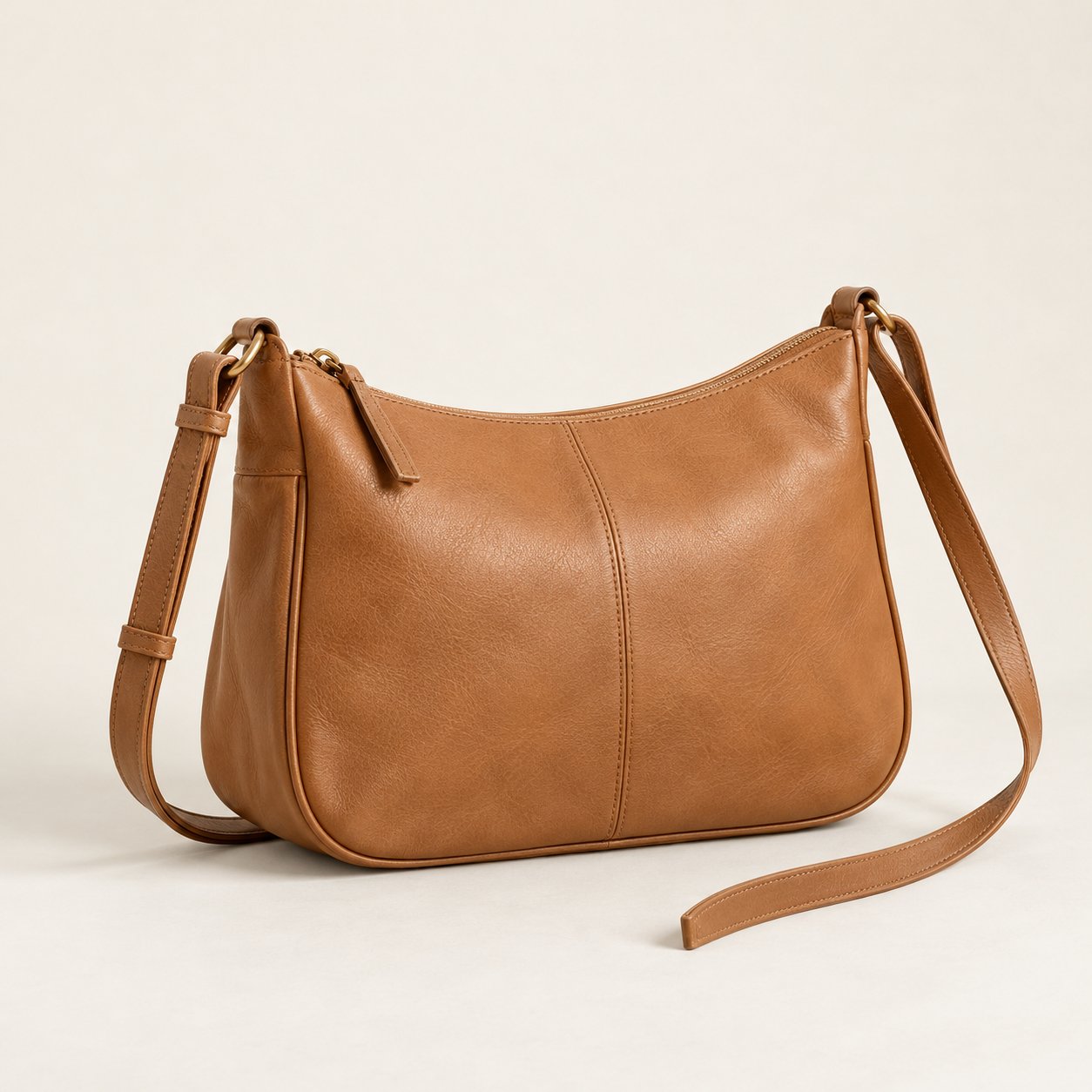
Everyday bag
Lightweight and suitable for daily use
Choose this model
Everyday bag — lightweight and suitable for daily use
This interaction is a preview of this card. You set up the real continuation of the conversation in the panel according to your page's scenario.
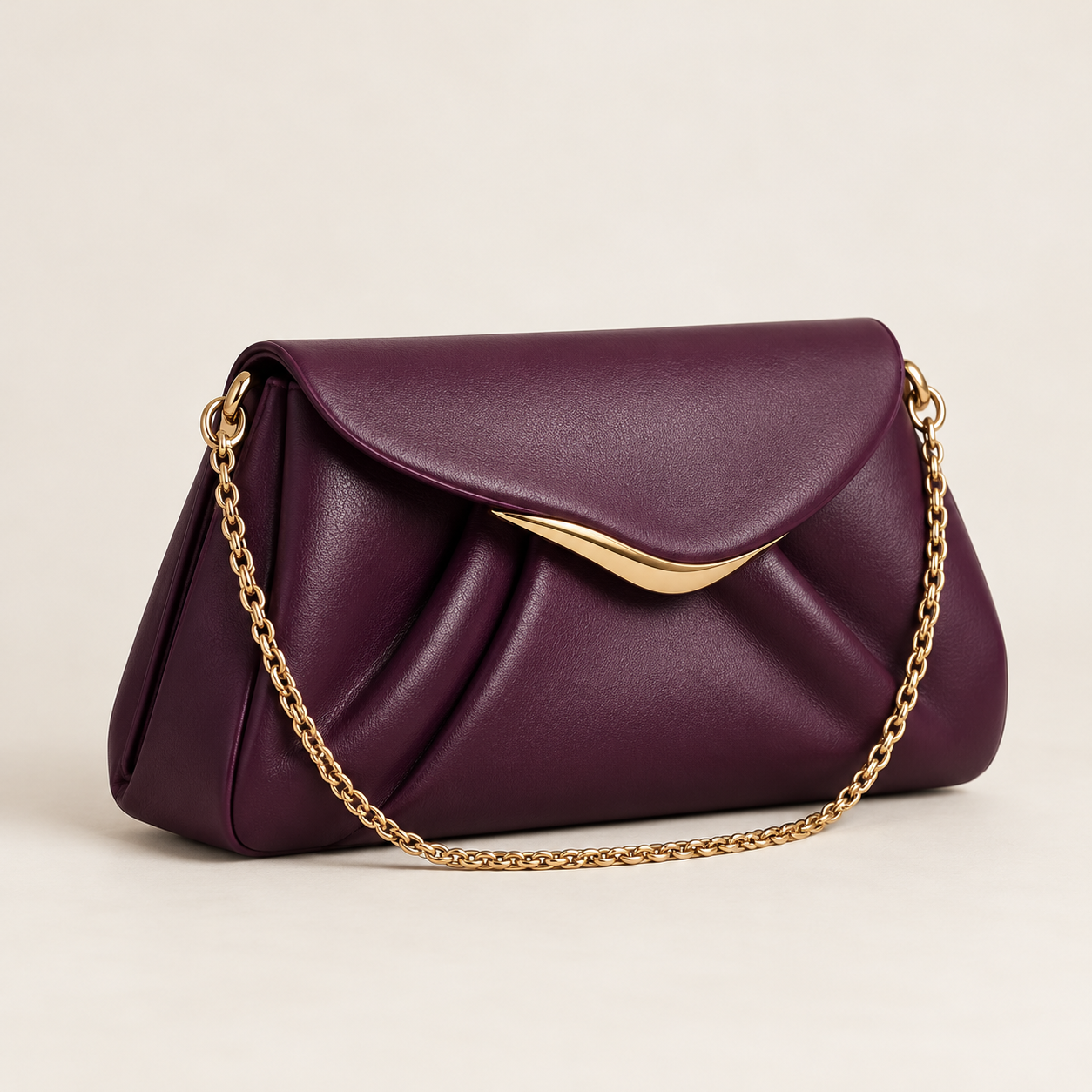
Evening bag
Compact design for parties
View details
Evening bag — compact design for parties
This interaction is a preview of this card. You set up the real continuation of the conversation in the panel according to your page's scenario.
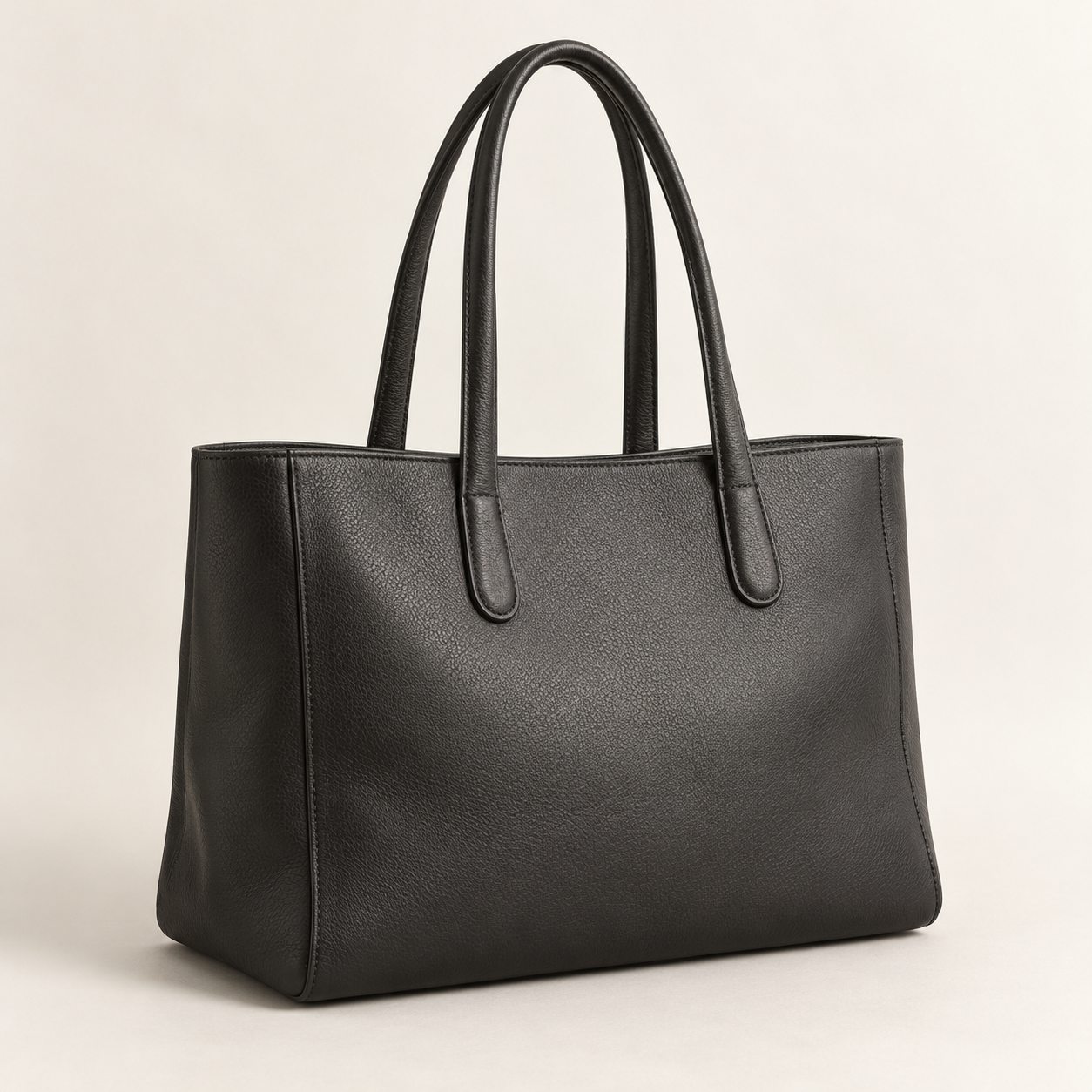
Handbag
Spacious and suitable for the workplace
Choose this model
Handbag — spacious and suitable for the workplace
This interaction is a preview of this card. You set up the real continuation of the conversation in the panel according to your page's scenario.
This question is familiar to most store pages. The customer sees one product, asks about other models, and you have to find photos again, write descriptions and send the different images. If several people make the same request at once, replying takes even more time.
On the other hand, to compare models the customer has to scroll up and down between separate photos and texts. They may forget which product's description belonged to which photo.
The Showcase Builder helps you present this information in an organized way from the start: one card for each option, and several cards side by side in the same direct-message conversation.
Several separate messages
Everyday bag Lightweight and suitable for daily use
Evening bag Compact design for parties
Handbag Spacious and suitable for the workplace
Sample showcase in direct messages
Suppose you have a bag-selling page. Instead of sending photos of three models in separate messages, you can build one showcase with three cards. By swiping the cards left and right, the customer sees the models and chooses the option they want.
Everyday bag
Lightweight and suitable for daily use
Choose this model
Everyday bag — lightweight and suitable for daily use
This interaction is a preview of this card. You set up the real continuation of the conversation in the panel according to your page's scenario.
Evening bag
Compact design for parties
View details
Evening bag — compact design for parties
This interaction is a preview of this card. You set up the real continuation of the conversation in the panel according to your page's scenario.
Handbag
Spacious and suitable for the workplace
Choose this model
Handbag — spacious and suitable for the workplace
This interaction is a preview of this card. You set up the real continuation of the conversation in the panel according to your page's scenario.
Swipe the cards horizontally or choose the name of each model.
This is only an example. You can use the same method to show different services, courses or portfolio items. You set the image, text and button of each card yourself.
This preview is not connected to Instagram; the real behavior of the buttons depends on the supported settings in the panel and your scenario.
Card image
Conceptual view of the settings
Upload a product photo, a portfolio item, a service image or a course poster. Each card can have its own image so the user can see the difference between the options at first glance.
Title and description · optional
Everyday bag
Lightweight and suitable for daily use
Conceptual view of the settings
Add a short title and a suitable description to each card. The title and description are optional; you can write as much text as that option needs, without making the message long and crowded.
Button text
Choose this model
Conceptual view of the settings
You can add a button with text of your choice to the cards, for example “Choose this model” or “More information”. This button shows the audience what choice is in front of them. The exact behavior after a click depends on the supported settings in the panel and the related scenario.
Collection cards
Everyday bag
Evening bag
Handbag
Conceptual view of the settings
Instead of sending images separately, show several cards in one showcase. By moving horizontally between the cards, the customer can browse different models or services.
01
In the Befroosh panel, open the showcase builder in the related message settings and create a new card.
02
Upload the photo and, if needed, write a short title and description for it.
03
Specify the button text for the card and create as many other cards as you need. Each can have a different image and description.
04
After saving the settings, test how the cards appear in direct messages to make sure the images, texts and buttons are correct.
When the image and information of each option are in a clear card, the customer more easily understands the choices in front of them. They don't have to search through many messages for the name or description of a product.
Introducing repeated options also becomes easier for you. You have a ready set of cards that you can show to the audience at the right point in the conversation. This method can reduce unnecessary back-and-forth; however, the result depends on image quality, clarity of descriptions and the audience's real needs.
If you want to know when automatic replies are sent, see the smart direct message feature.
7-day trial
You don't need to build dozens of cards to start. Choose three popular products or services, add the image and description of each, and see the result in direct messages. After reviewing the audience's experience, you can prepare more showcases.
With Befroosh's 7-day trial, you can try the feature and see how it fits your page's type of activity. For subscription terms, see the pricing page.
Start 7 days freeIt is a tool for showing several image cards in one direct message. Each card can have an image, title, description and button, and the audience can browse the cards horizontally.
Yes. You can create a card for each option and show several cards as a swipeable set in direct messages.
No. You can introduce services, educational packages, portfolio items and other options in separate cards too.
No. The title and description are optional. You can enter only the information needed to introduce that option.
Yes. The panel lets you add a button to a card. You set the button text yourself; how the conversation continues after a choice depends on the related scenario.
No. To build a set of cards and show them in direct messages, you don't need a separate website.
You enter the showcase information yourself. To change the image, title or description, you need to edit the related card in the panel.
The Showcase Builder is for preparing and showing cards. When and under what conditions it is sent in a conversation depends on the related message settings and scenario.
You no longer need to send many photos and separate messages to introduce each model, service or portfolio item. Build the cards, add your own image and text, and show all the options as a swipeable set inside direct messages.
Build your first showcase